
PoE Video Door Station: 7 Tips for Choosing One for a Small Apartment Building
PoE Video Door Station: 7 Tips for Choosing One for a Small Apartment Building
If you own or manage a small apartment building, the front entrance is where security, convenience, and first impressions meet. A PoE video door station replaces the old audio-only buzzer with a camera, a keypad, and a smartphone connection — tenants see who is at the door before they buzz anyone in, and you manage access without running back to the building every time a tenant moves out.
The catch is that not every door station is built the same way: wiring, lock control, and indoor monitors all vary, and a wrong choice can mean a second round of cabling or a system tenants never learn to use. This guide walks through seven practical tips for choosing a PoE video door station for a small apartment or multi-unit building, so the system you buy is the one your installer can actually put in — and your tenants will actually use.
What is a PoE video door station?
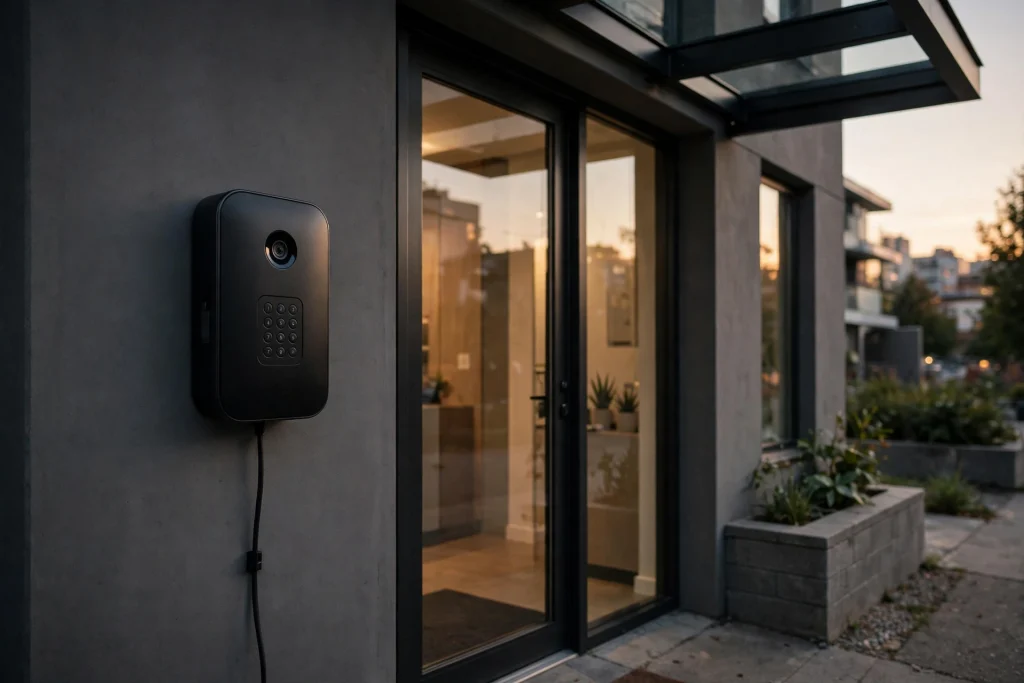
A PoE video door station is a wall-mounted intercom unit at a building entrance that combines a camera, a microphone and speaker, and a call button or keypad in one device. The name comes from Power over Ethernet: the same network cable that carries the video and audio signal also supplies the power. One cable does both jobs, which is the whole point.
Traditional door stations needed two separate runs to the entrance — a low-voltage power cable and a data or audio cable — which meant more drilling, more conduit, and more places for a connection to fail. A PoE video door station needs only a single Ethernet cable from your network switch to the front door. If the entrance already has a network drop nearby, installation can be a short job instead of a full rewiring project.
That single-cable design also makes the system easier to keep running: the door station draws power from the same network equipment that serves the rest of the building, so a battery-backed switch can keep the entrance working during a short power blip, and the video feed reaches indoor monitors and tenants’ phones over the building’s existing network.
Why a PoE video door station fits small apartment buildings
Small buildings — duplexes, fourplexes, and walk-ups up to about eight units — sit in a sweet spot for this kind of system: one entrance door, short cable runs, and one door station serving every unit. A PoE video door station is a good fit here for three reasons.
First, cost stays proportional to the building: a full commercial access system with a separate controller, power supplies, and per-floor wiring is overkill for six units, while a single-cable door station plus one indoor monitor per unit covers the whole building without that overhead.
Second, installation is less disruptive: in an occupied building, tenants notice drilling and hallway work, and pulling one Ethernet cable to the entrance is far less invasive than running separate power and data lines.
Third, tenants get the features they now expect: smartphone answering, video verification of visitors, and keyless entry codes. For a landlord, those features are also a leasing advantage — a secure, modern entrance photographs well and shows up in the first minute of any viewing.
7 tips for choosing a PoE video door station
1. Confirm the Power Setup Before You Buy
Every PoE video door station needs a power source on the network side — either a switch that supplies Power over Ethernet or a small injector that adds power to a regular network cable. Before ordering a PoE video door station, check what is already in the building’s network closet. If the existing switch does not supply power, budget for an injector or a replacement switch; it is a small cost, but one that is easy to forget.
Also check the cable run: Ethernet has a practical limit of about 100 metres, and most small-building entrances are well inside it. What matters more is the cable’s condition — an old or damaged run can make the camera drop out or reboot. If the run is questionable, have the installer test it, or pull a fresh cable, while the walls are already open.
2. Match the Station to Your Unit Count
Door stations are sold by the number of units they serve, and buying the right size saves money twice: you do not pay for capacity you will never use, and you do not run out of buttons or directory slots later. A two-unit building takes a two-unit kit with two indoor monitors; the same logic scales up through three, four, six, and eight units.
GBF’s PL963 series is built around exactly this range. The video intercom kits for 2–8 unit buildings pair one door station with the matching number of indoor monitors, so a four-unit building orders a four-unit kit rather than assembling parts one by one. If your building is larger than eight units, step up to GBF SentryLink, which covers buildings from 8 to 1,000 units with a directory-based panel rather than one button per unit.
3. Look for Dual-Lock Control
Most small apartment entrances have more than one thing to unlock: the main door and a gate, a lobby door and a parking gate, or a front door and a mail-room door. A PoE video door station that can control two different locks remotely lets tenants or the manager open either one from the same indoor monitor or phone app — no second panel or separate remote.
When you compare models, check the lock outputs in the specifications rather than the marketing copy: some units switch two locks, others switch one and expect a relay board. Also confirm the lock type — magnetic locks and electric strikes wire differently — and tell your installer which one is on each door before install day.
4. Choose the Right Keypad: Smart Keypad or No Keypad
Some entrances need a keypad, and some are better without one. A smart keypad lets tenants enter a PIN code instead of carrying a key or fob, which is convenient — and it lets you change codes when a tenant moves out instead of rekeying a lock. Models such as the PL964PMPOE include a smart keypad built in, so the code entry and the video call live on the same unit.
A station without a keypad, such as the PL963M, is simpler and often cheaper. It suits buildings where tenants already answer on a phone app or indoor monitor, or where the manager prefers to issue RFID cards instead of codes. Decide based on how your tenants actually enter the building today: if they already lose fobs, a PoE video door station with a keypad may solve more problems than it creates; if they are comfortable with phones, the simpler unit is enough.
5. Pair It with the Right Indoor Monitor
The PoE video door station is only half the system. Inside each unit, tenants answer on an indoor monitor — or on their phones. The monitor you choose decides how good that experience is, so match it to the station rather than treating it as an afterthought.
GBF’s MR930 and MR930M WiFi indoor monitors are the standard pairing for the PL963 series, with the MR920 as a more compact option. All three work with the PL963 series and with SentryLink systems, so a building can mix monitor models by unit if budgets differ. Where a full screen is unnecessary — a small suite, or a back office — the CM-01 indoor chime handles ringing and unlocking at a fraction of the cost. Check compatibility in both directions: a monitor that works with one door station series may not work with another.
6. Do Not Skip the Camera and Access Features
A PoE video door station’s camera is the feature tenants use every single day, so look past the headline resolution and check the details that matter at night and in bad weather. A 1080p camera is the baseline for the PL963 series; also confirm the viewing angle, night vision, and how the unit handles backlight when the sun is behind a visitor.
Access features deserve the same scrutiny: a built-in RFID reader lets you issue cards or fobs alongside PIN codes, timed unlock can hold a door open for a delivery window, and the newer PL964PMBL model adds AI motion detection so the camera flags activity at the door instead of recording hours of nothing. None of these costs much on its own, but each removes a daily frustration — and each is much cheaper to have from the start than to add later.
7. Plan the Install: Mounting, WiFi, and the App
Finally, think about the physical install of your PoE video door station before the box arrives. Surface mounting suits most retrofits because it avoids cutting into the wall, while a flush-mounted unit looks cleaner on a new build or a renovated entrance. The PL963PMF is the flush-mounted version of the same station — same features, different trim. Confirm which one your entrance needs and measure the wall space around the door frame.
Then decide how the station connects to the network. Wired Ethernet is the most reliable option; WiFi models exist for entrances where a cable cannot be pulled, but they still need power at the door. Whichever way you connect, set up the tenant app before the installer leaves: each household should answer a test call on their own phone, and the manager should know how to add and remove a tenant. An untested system will fail on its first real visitor.
Installation Checklist: Before Your Installer Arrives
A short checklist prevents the most common delays when installing a PoE video door station:
- Network point: Confirm a live Ethernet port or a WiFi signal at the entrance, and a switch or injector that supplies power.
- Lock wiring: Identify each lock type and which lock output on the station will drive it.
- Monitor count: Count one indoor monitor per unit, plus a chime where a full screen is not needed.
- Tenant list: Prepare the names and unit numbers for the directory or the keypad codes.
- App setup: Have one phone per household ready to install the app and receive a test call.
Hand this list to the installer a week before the job, not on the morning of it. Most of the parts are already in the box; the delays come from the information that was not ready.
Frequently Asked Questions
Does a PoE video door station need a separate power outlet at the front door?
No — that is the main advantage of the design. A single Ethernet cable carries both power and data, so there is no outlet to install beside the door; the power comes from the network switch or an injector inside the building.
Can one PoE video door station serve a whole small apartment building?
Yes, up to its rated unit count: a PoE video door station in the PL963 series covers two to eight units, with one indoor monitor per unit. For larger buildings, a directory-based system such as SentryLink is the right step up.
Will tenants need a smartphone to use the system?
No. Tenants answer on the indoor monitor in their unit, which handles video, talk, and unlocking without a phone; the smartphone app is an extra convenience for answering while away from home.
Can a PoE video door station control two locks?
Many models can — check the specifications for two lock outputs before you buy, and confirm the lock types with your installer, since magnetic locks and electric strikes wire differently.
Is a WiFi connection enough, or should the station be wired?
Wired Ethernet is the most reliable connection and is recommended wherever a cable can be run. WiFi models suit entrances where cabling is impractical, but they still need power at the door and a strong, stable signal.
Conclusion
Choosing a PoE video door station for a small apartment building comes down to a handful of practical checks: confirm the power setup, match the unit count, insist on dual-lock control, pick the keypad your tenants will actually use, pair the station with compatible indoor monitors, and test the app before the installer leaves. Get those right and the entrance becomes the easiest part of the building to manage — one cable, one panel, and a system tenants understand the first time they use it.
Browse the GBF WiFi/IP door stations to compare models and kits for your building size, or talk to the GBF team about which station fits your entrance and lock setup.